
Standard Version
Preparation

1. Start Sync
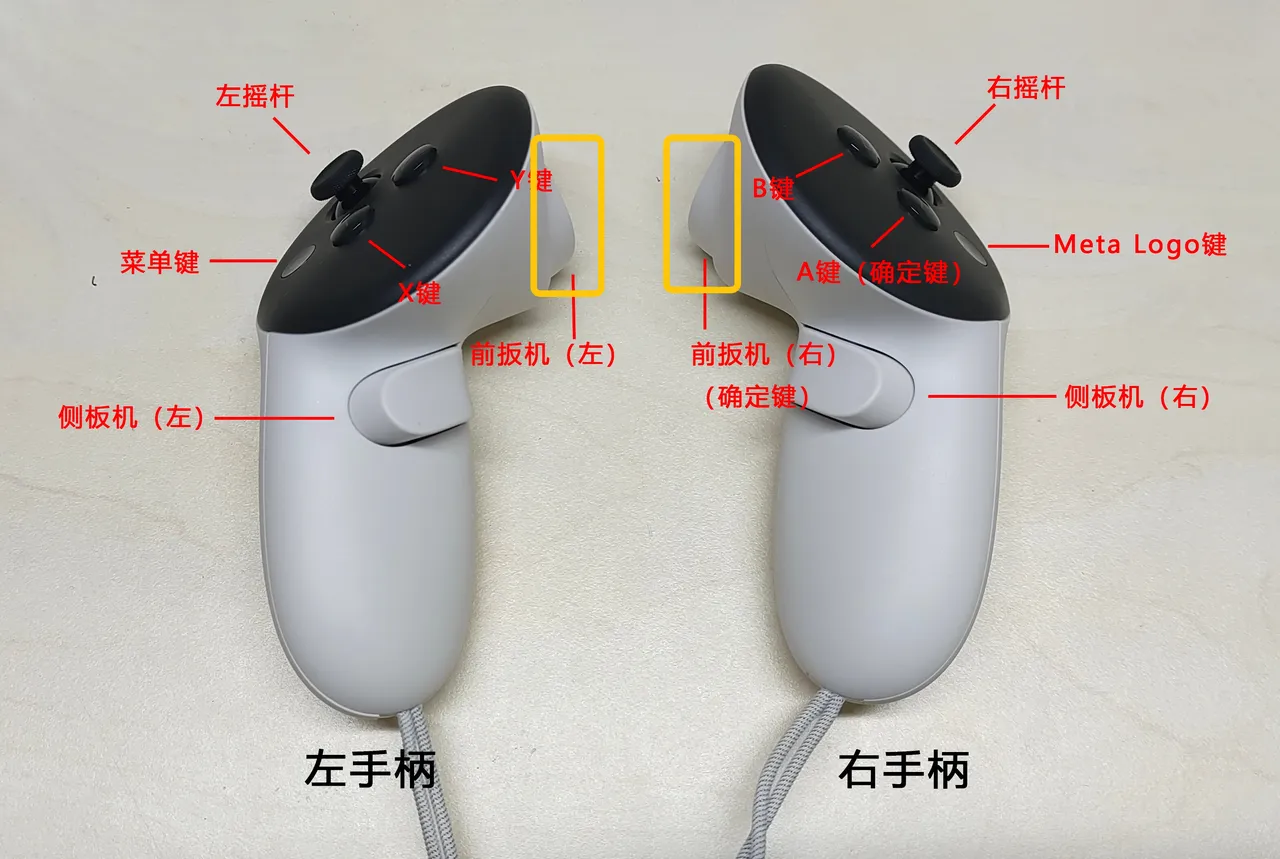
Press the right controller A button 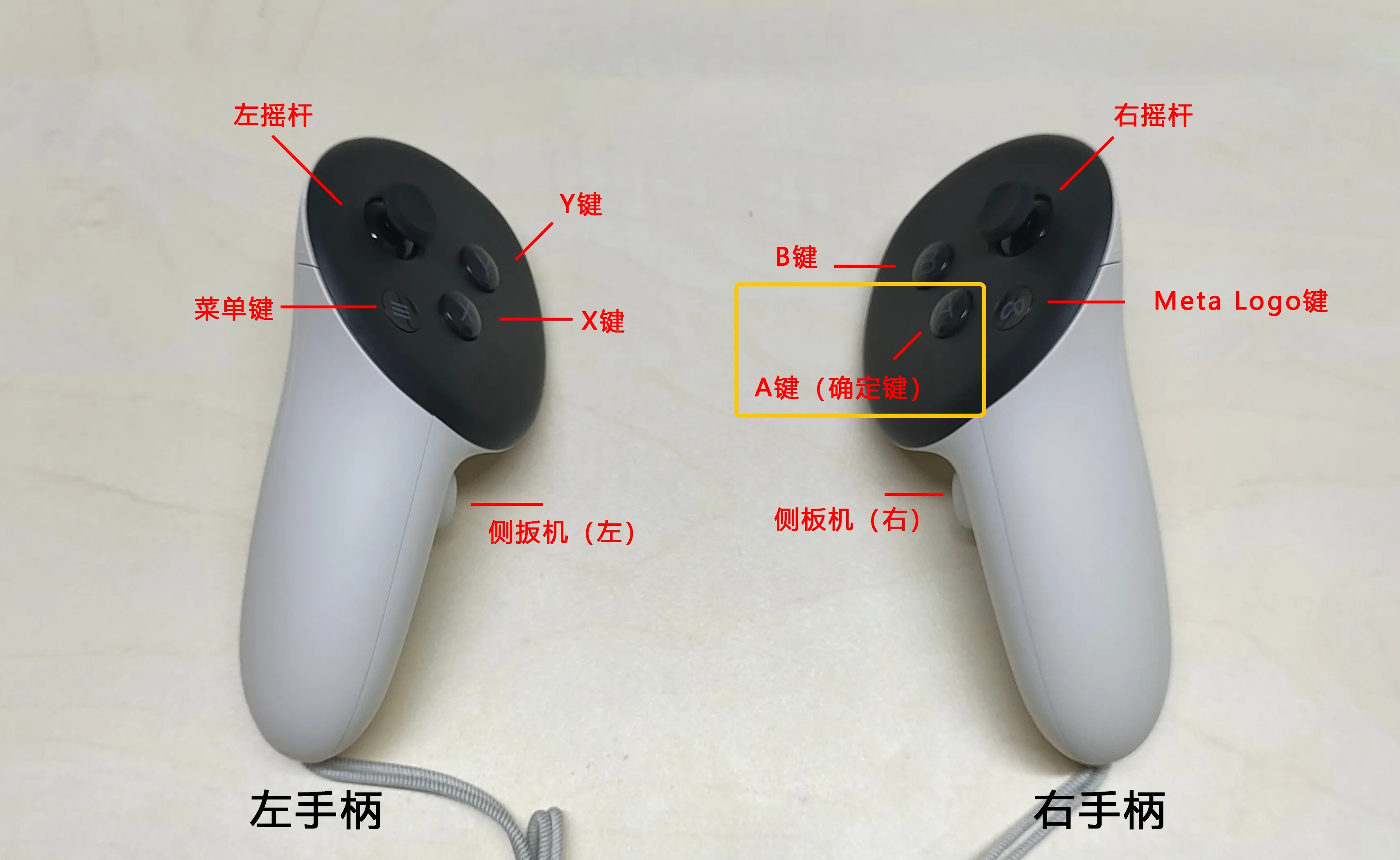
2. Stop Sync
Press the right controller B button 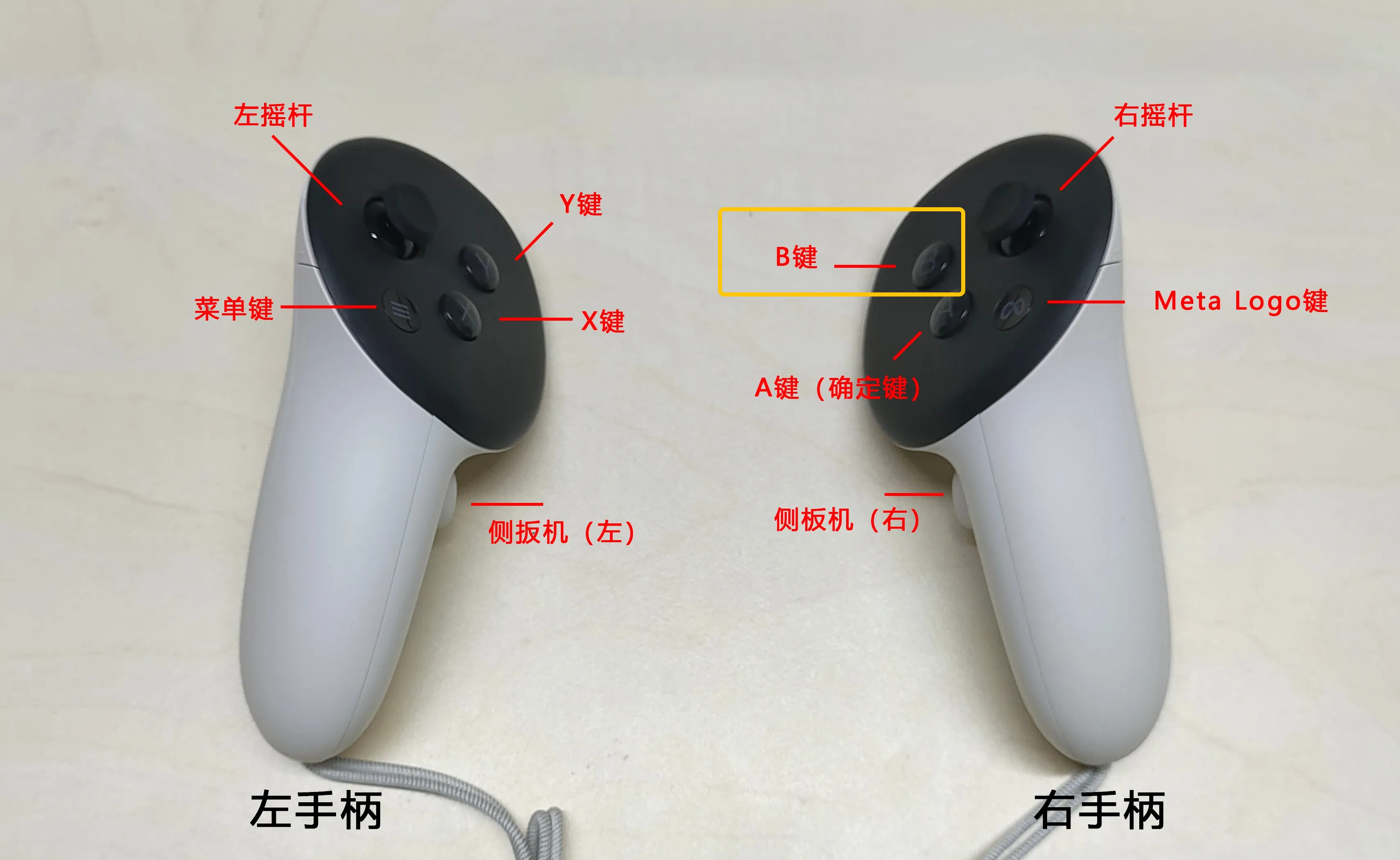
3. Resume Sync
Press the right controller A button again
⚠️ Notes
- When using leg operations, ensure the controller is within the VR view.
- For leg operations, commands take effect after the leg returns to its original position.
Robot Movement Control
1. Robot Movement
Move Forward, Backward, Left, and Right
Use the left controller joystick to move the robot. 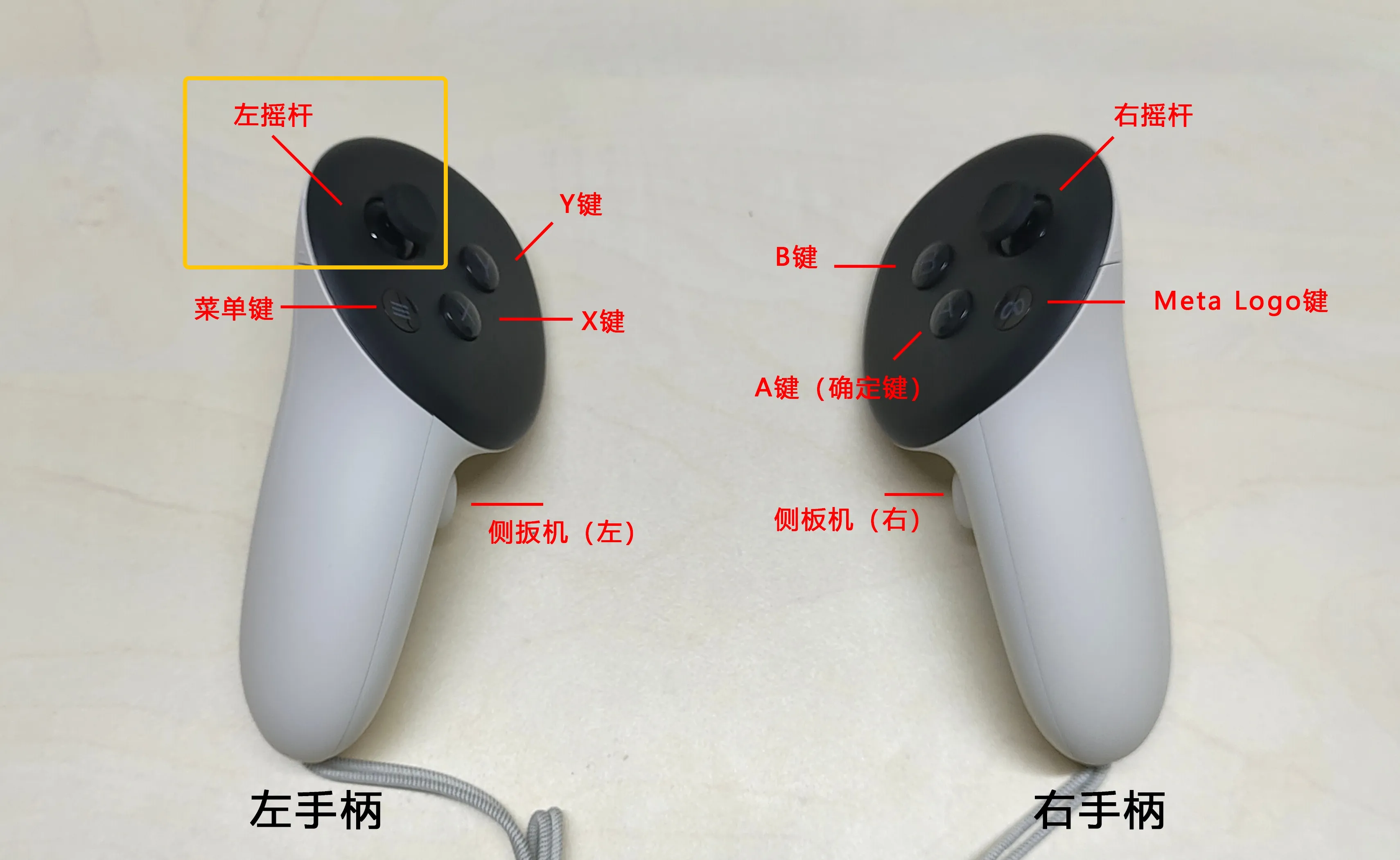
Ascend and Descend
Use the right controller joystick to control the robot's torso. 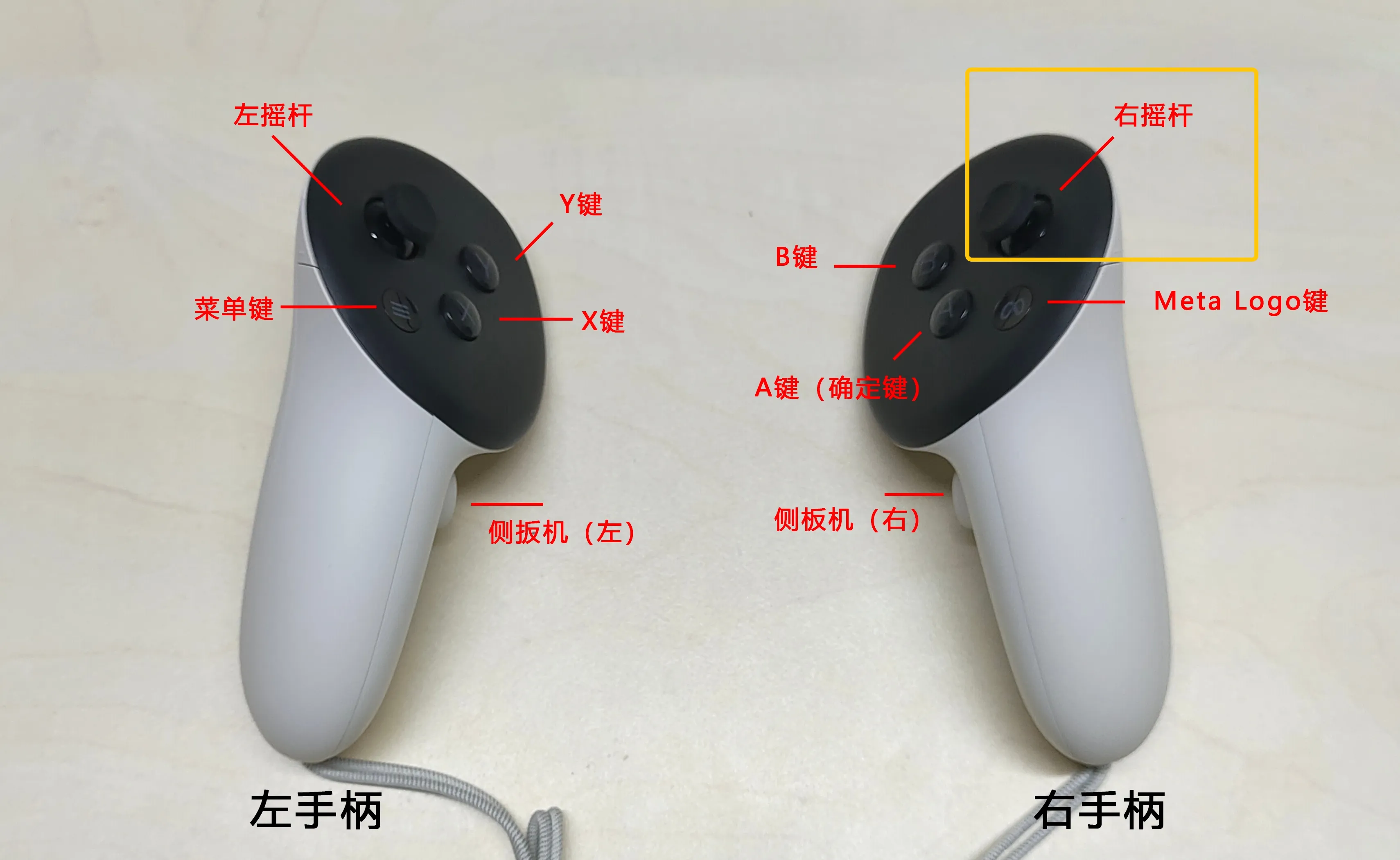
2. Robot Arm Posture Control
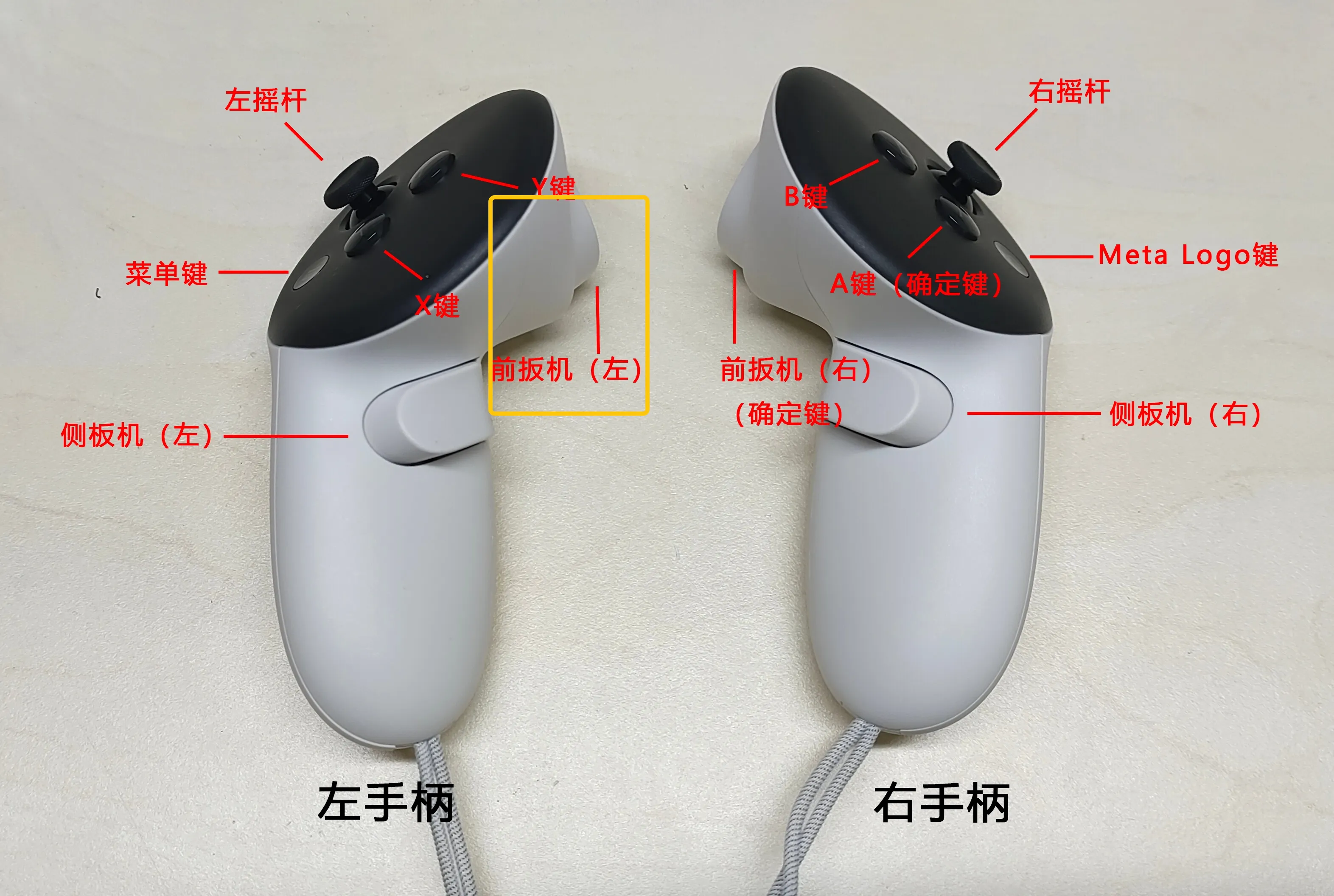
Keep End Posture, Move Arm with Body
Hold the left controller trigger
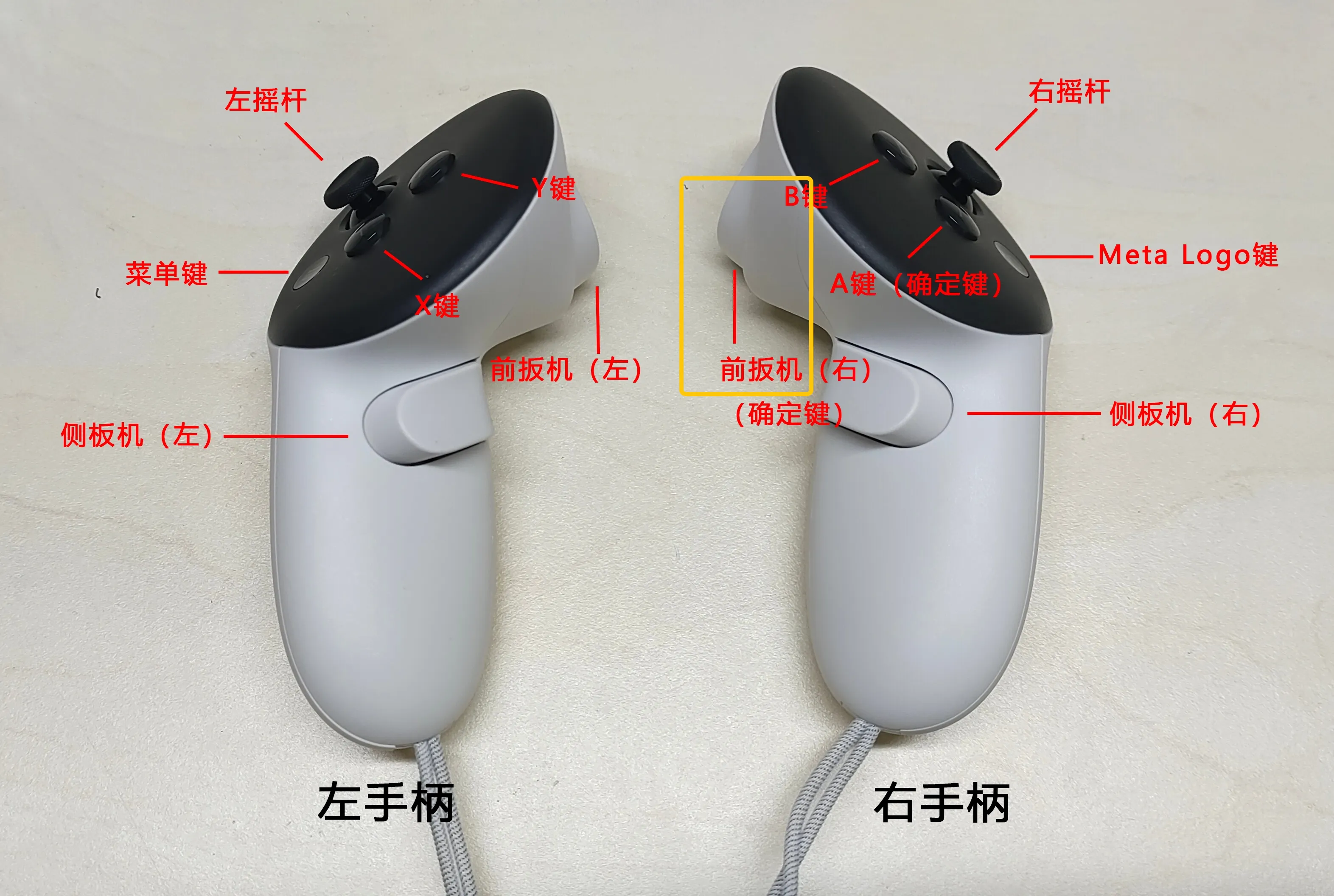
Keep Arm Position, Move End Posture with Body
Hold the right controller trigger
Keep Both Arm Position and End Posture
Hold both left and right controller triggers
Resume Sync with Body
Release the corresponding trigger to resume sync. 
3. Return Robot to Initial Position
Click STOP MOCAP and STOP TELEOP to stop sync and teleoperation. 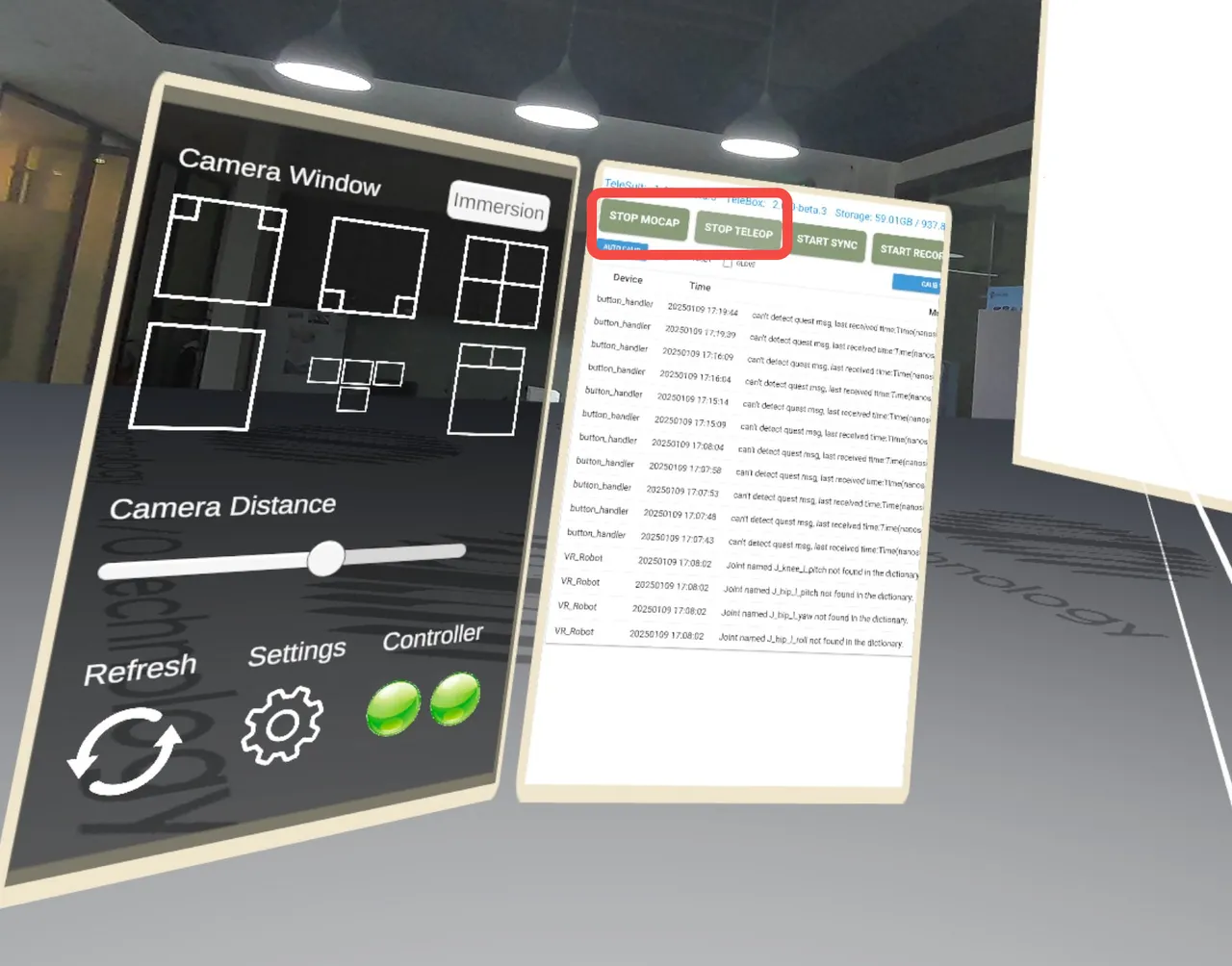
Push both left and right controller joysticks outward to return the robot to its initial position.
⚠️ Notes
- Ensure the controller is within the VR view when using leg operations.
- The first-person view image fixed on the robot's head will change with head movements.
- If the image lags, it may be due to insufficient laptop support for real-time rendering. This can be ignored during the tutorial phase.
Start Data Collection
1. Start Data Collection

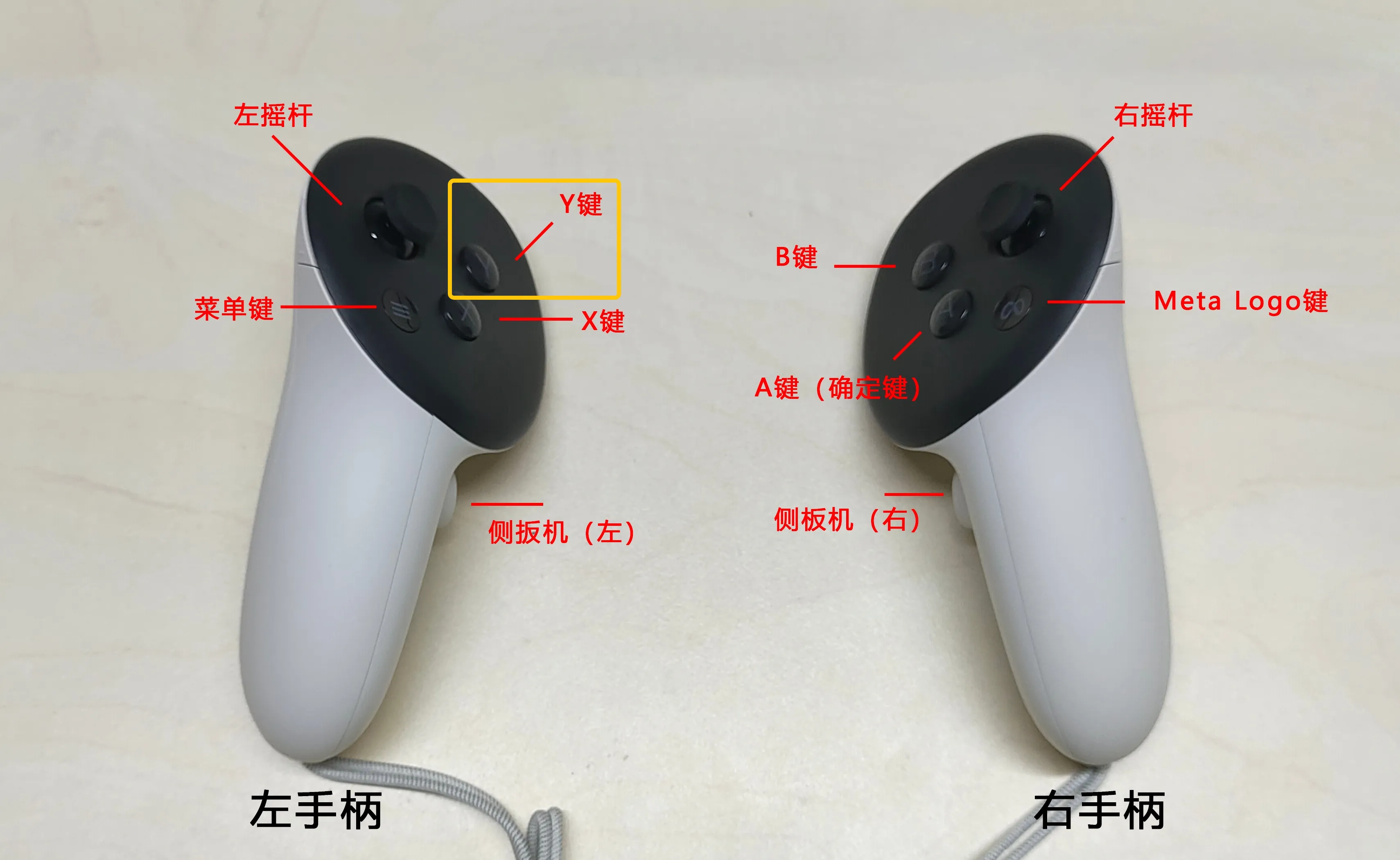
Enter teleoperation mode and start sync, then press the left controller X button to start data collection.
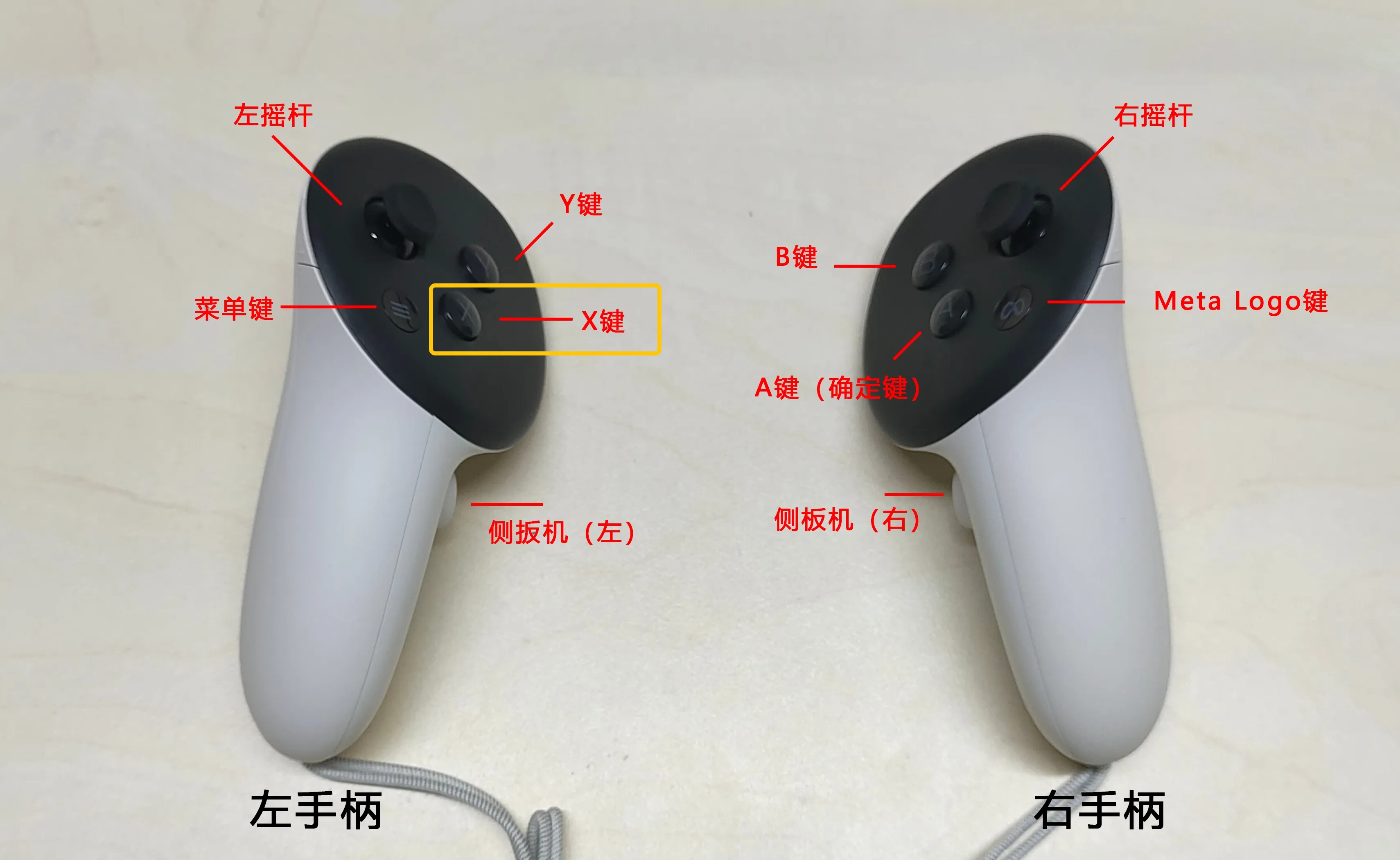
Changes on the right panel:
- Timer starts counting in seconds
- Counter increases by 1
2. Save Data

Press the left controller Y button
Changes on the right panel:
- Timer resets
- Counter remains the same
3. Delete Data
Hold the left controller Y button
Changes on the right panel:
- Timer resets
- Counter decreases by 1